I compared two ways to process 2 million JSON records in Python: loading the whole array and reading a JSONL file one record at a time. I also tried two parsers, the standard library's json and simdjson.
Streaming kept peak memory around 25 MB with either parser. Loading the full array used several gigabytes.
Here's the full-array approach:
import json

with open("large_array.json") as f:
    records = json.load(f)

for record in records:
    process(record)
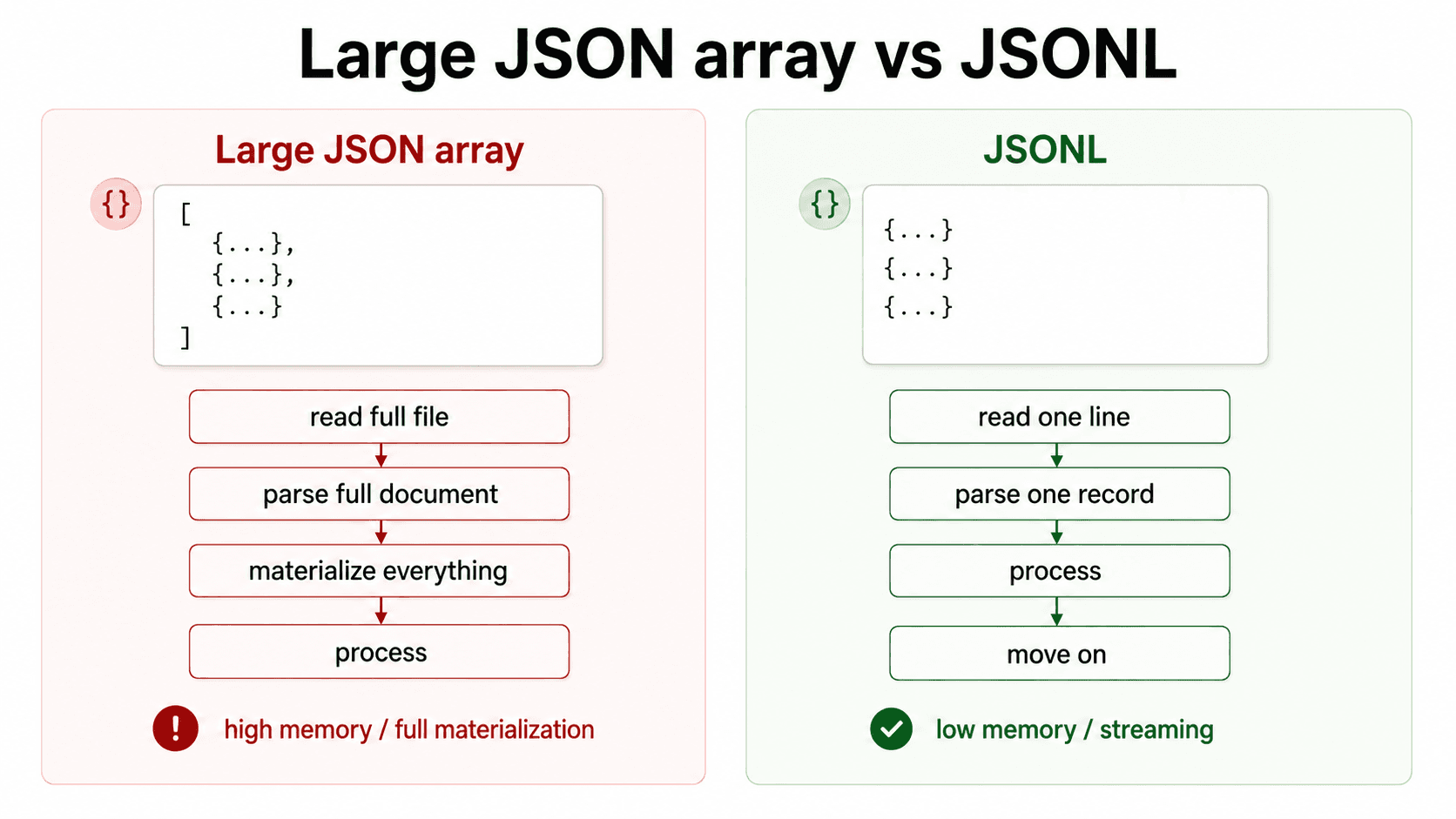
json.load() builds the full Python object before the loop starts. For a small file, that's usually fine. For a large array, the program has to:
- read the file
- parse the full JSON document
- create Python dict/list objects for everything
- then process records
Setup
I ran the benchmark on an AWS EC2 m7i.xlarge instance.
| Detail | Value |
|---|---|
| Instance | AWS EC2 m7i.xlarge |
| Region | ap-south-1 |
| Python | 3.13.13 |
| CPU | 4 vCPU, Intel Xeon Platinum 8488C |
| Memory | 15 GiB |
| Root disk | 48 GiB |
| Records | 2,000,000 |
| Input shapes | JSON array and JSONL |
| Parsers | Python json and simdjson |
I compared:
- full JSON array materialized in memory
- JSONL streamed one record at a time
The numbers depend on the schema, CPU, disk cache, parser version, and work done in process(). Both approaches used the same kind of records, so I could compare their processing time and memory use.
Files
I generated two files with the same kind of synthetic event data.
One file was a single large JSON array:
[
  {"id": 1, "event_type": "search"},
  {"id": 2, "event_type": "upload"},
  {"id": 3, "event_type": "ask_ai"}
]
The other file was JSONL:
{"id": 1, "event_type": "search"}
{"id": 2, "event_type": "upload"}
{"id": 3, "event_type": "ask_ai"}
Each JSONL line is a complete record, so the program can parse it independently.
$ tree --du -h
[1.6G]  .
├── [822M]  large_array.json
└── [820M]  large_events.jsonl

1.6G used in 1 directory, 2 files
The files are roughly the same size on disk. Their memory use differs once Python starts building objects from them.
Methods compared
I compared four methods:
json_load_arraysimdjson_load_arrayjsonl_stdlib_streamjsonl_simdjson_stream
The benchmark measured:
- records processed
- time taken
- records per second
- peak RSS memory
Results
| Method | Records | Time seconds | Records per second | Peak RSS MB |
|---|---|---|---|---|
json_load_array | 2,000,000 | 5.901 | 338,899 | 3457.62 |
simdjson_load_array | 2,000,000 | 6.451 | 310,017 | 7367.77 |
jsonl_stdlib_stream | 2,000,000 | 5.381 | 371,672 | 24.69 |
jsonl_simdjson_stream | 2,000,000 | 2.832 | 706,249 | 24.94 |
The JSONL streaming versions stayed around 25 MB peak RSS. The full-array versions used multiple GB.
That gap between compact input and runtime memory also appears in the 100M-vector TurboVec benchmark, where the persisted index and prepared query process had very different footprints.
simdjson was fastest in the JSONL streaming case. Its full-array version used the most memory because the code parsed the full file and converted it into Python objects with recursive=True.
Changing parsers reduced the streaming run's time from 5.381 to 2.832 seconds. Changing how the program read the data accounted for the much larger difference in memory use.
The code
The full-array version:
def method_json_load_array(path):
    with path.open("r", encoding="utf-8") as f:
        records = json.load(f)

    total = 0

    for record in records:
        process(record)
        total += 1

    return total
This line loads every record before the loop can start:
records = json.load(f)The JSONL streaming version:
def method_jsonl_stdlib_stream(path):
    total = 0

    with path.open("r", encoding="utf-8") as f:
        for line in f:
            record = json.loads(line)
            process(record)
            total += 1

    return total
Here, the program only needs one record at a time.
Before choosing a parser
For a large ingestion job, I first check whether I need the whole document in memory. If the records can be handled separately, I ask:
- Can the producer send JSONL?
- Can we process records in batches?
- Can we checkpoint progress?
- Can failed batches be retried?
- Can output be written incrementally?
Once the program can process records without keeping them all, I can measure whether parsing is still slow enough to warrant a different parser.
The writer matters too. In my PostgreSQL bulk-ingestion benchmark, batching and COPY reduced the cost of sending records to the database.
Working with JSONL
JSONL's record boundaries also help with splitting files between workers or resuming processing after a failure.
A single JSON array can be convenient when the consumer needs the whole object. For this job, I only needed one record at a time.
Code
The benchmark code is available on GitHub.
What I'd use
For this workload, I'd stream JSONL and use simdjson. It had the shortest run time and kept peak RSS near 25 MB. The standard library streaming version used about the same memory, so it's also an option when parsing time isn't a concern.
The first change I'd make to a similar job is to stop loading the entire array. Then I'd compare parsers.